

|
|
| MakeMusic Forum > Public Forums > Finale - Windows - FORUM HAS MOVED! > Finale script in 2014.5-Some commands not working | Forum Quick Jump
|
 |
gogreen
Registered Member

      
Date Joined Dec 1999
Total Posts : 1618
| Posted 1/27/2016 11:16 AM (GMT -6) |   | Thank you, Charles. Windows isn't offering a way to copy the file. What am I doing wrong? Thanks again.
Arthur J. Michaels
/www.facebook.com/composerarthurjmichaels
Finale 2000, 2001, 2003, 2005, 2006, 2007, 2011b.r2, 2014d (currently using 2014d)
Core i7 860 @ 2.80 GHz, 8.0 GB RAM, Windows 10 Home x64
Garritan COMB2, GPO4, Aria Player 1.620, Audacity 2.1.0
Dell 2408 WFP, 1920x1200
M-Audio Delta Audiophile 2496
Casio WK-3000
M-Audio AV40 monitors
AKG K-240 Studio headphones
Brother MFC-L2740DW printer
Image Attachment :
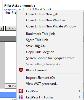
xml file.png 12KB (image/png)This image has been viewed 197 time(s). | | | |
| | Back to Top | |
|
Charles Lawrence
Registered Member


Date Joined Dec 2009
Total Posts : 3638
| Posted 1/27/2016 10:37 AM (GMT -6) | | |
gogreen,
Your script took longer to debug. Some of the commands are different in F2014.5.
Attached is the XML. Place it in the proper directory here: "C:\Users\<username>\AppData\Roaming\MakeMusic\Finale 2014.5\Finalescript".
"Anything is possible if you don't know what you are talking about!"
Windows 10 Professional (x64) (build 10586)
3.50 gigahertz Intel Core i7-5930K, Multi-core (6 total), Hyper-threaded (12 total)
32638 Megabytes Usable Installed Memory, 17514.37 Gigabytes Usable Hard Drive Capacity
NVIDIA GeForce GTX 980 - 4GB [Display adapter]
ASUS Rampage V Extreme motherboard, Realtek HD Audio
Finale 2014.5.6359
Garritan GPO4.02
Cakewalk SONAR X3 - (X3e build 244) - x64, Sound Forge Audio Studio 10.0, Audacity 2.1.0
Sharpeye 2.68, PhotoScore Ultimate 7.0.2, SmartScore X2 Pro 10.5.8
"There is a world of difference between a person who has a big problem and a person who makes a problem big." – John MaxwellFile Attachment : gogreen.xml 0KB (text/xml) This file has been downloaded 206 time(s). | | Back to Top | |
|
gogreen
Registered Member
Date Joined Dec 1999
Total Posts : 1618
| Posted 1/27/2016 9:23 AM (GMT -6) | | I'm having a similar problem with Finale 2014.5. I routinely use a script to restore my background color, which hasn't kept my preference since about Finale 2007 and still doesn't in Finale 2015.5. In Finale 2011, I used this script:
Menu item “program options”
list “palettes and backgrounds”
click radio “solid color” near “Manuscript Texture”
click OK
In Finale 2014, I used this one:
menu item “Preferences”
highlight “Palettes and Backgrounds”
click “Palettes and Background”
click radio “solid color” near “Manuscript Texture”
button ok
The 2014 script that worked in Finale 2014 no longer works in Finale 2014.5. It hangs after Preferences appear. I've tried different syntax changes, but I can't get this to work again. Any suggestions?
Arthur J. Michaels
/www.facebook.com/composerarthurjmichaels
Finale 2000, 2001, 2003, 2005, 2006, 2007, 2011b.r2, 2014d (currently using 2014d)
Core i7 860 @ 2.80 GHz, 8.0 GB RAM, Windows 10 Home x64
Garritan COMB2, GPO4, Aria Player 1.620, Audacity 2.1.0
Dell 2408 WFP, 1920x1200
M-Audio Delta Audiophile 2496
Casio WK-3000
M-Audio AV40 monitors
AKG K-240 Studio headphones
Brother MFC-L2740DW printer | | Back to Top | |
|
Charles Lawrence
Registered Member
Date Joined Dec 2009
Total Posts : 3638
| Posted 1/27/2016 8:59 AM (GMT -6) | | |
Unfortunately, you cannot just copy the contents of a pre-F2012 Finalescript file and paste it into a post F2011 Finalescript file. You must re-enter it. Ever since F2012, Finalescript is no longer a text file, but an XML file. The copy/paste will not form the underlying XML correctly. Instead of each source line being formed into its own destination line, all the source lines are concatenated into one long string for the destination. Finalescript cannot handle this. If you are proficient with editing XML, you can fix the issue without re-entering the source in a new script file, but it is usually easier to just re-enter it.
I have fixed the malformed XML in the attached XML. It ran to completion when I tried it. Download it and place it in the proper F2014.5 directory located here: "C:\Users\<username>\AppData\Roaming\MakeMusic\Finale 2014.5\Finalescript".
Hope this helps.
"Anything is possible if you don't know what you are talking about!"
Windows 10 Professional (x64) (build 10586)
3.50 gigahertz Intel Core i7-5930K, Multi-core (6 total), Hyper-threaded (12 total)
32638 Megabytes Usable Installed Memory, 17514.37 Gigabytes Usable Hard Drive Capacity
NVIDIA GeForce GTX 980 - 4GB [Display adapter]
ASUS Rampage V Extreme motherboard, Realtek HD Audio
Finale 2014.5.6359
Garritan GPO4.02
Cakewalk SONAR X3 - (X3e build 244) - x64, Sound Forge Audio Studio 10.0, Audacity 2.1.0
Sharpeye 2.68, PhotoScore Ultimate 7.0.2, SmartScore X2 Pro 10.5.8
"There is a world of difference between a person who has a big problem and a person who makes a problem big." – John MaxwellPost Edited (Charles Lawrence) : 1/27/2016 8:28:54 AM (GMT-6) File Attachment : test.xml 1KB (text/xml) This file has been downloaded 213 time(s). | | Back to Top | |
|
Davidmorehead
Registered Member

Date Joined May 2000
Total Posts : 2203
| Posted 1/27/2016 8:46 AM (GMT -6) | | Zuill said...
Which commands?
Zuill
P.S.: I stopped using Finalescript long ago as it was very unstable and caused a lot of crashing of Finale. However, since they overhauled it (I believe), I think it is more stable. I tend to use Jari's Lua scripts, even though I have no idea how to program them. I have figured out how to modify others' programs, though, for my use. With Finalescript, I often found that some operations would hang up. I tried to add delay commands to give Finale extra time to process the commands, but realized that every time I ran a script, it would lock up in a different place. To me, that is too finicky. It was easier to do things manually, rather than fuss with scripts.
OK. Thanks for the info. I thought I was doing something wrong. It was hanging on me too even after I would copy a command directly from the help file.
Here is the last version of the script I did before I gave up.
menu item "copy"
Select Staff 13
menu item "paste"
move layer 1 to layer 4
plug-in "single pitch"
type "G5"
Press "OK"
menu item "notesize"
type "75"
Press "OK"
menu item "Utilities/Stem direction/Up"
menu item "Utilities/Change/Ties"
click "tie direction"
Select radio button "over"
Press "OK"
plug-in "move rests"
near "move rests" type 7
Press "OK"
All I want to do be able to copy the rhythm of any staff (whoever has the lead line) to a staff not being used in the score (an extra staff below the drum part) and then place the rhythms in layer 4. Then, I will show current layer only and copy that into layer 4 of the drum part. I want to be able to give the drummer a simplified part with just rhythm hits but still get proper playback of the notes I have entered into the drum part. I go tit to work in 2010 when I was using Windows 7. Now I have 2015.5 and Windows 10 and it doesn't work anymore.
Thanks for your help with this. I really wish Finale had a plug-in to do this.
Finale 2010b
Finale 2014.5
Sony Vaio Laptop-Windows 10-Core I7
TGTools Pro
Roland Sonic Cell
Finale user since 1990
DaveMorehead.com
davidmoreheadphotography.com
/www.facebook.com/Dave.Morehead | | Back to Top | |
|
Zuill
"The Troll"


Date Joined Oct 2003
Total Posts : 29077
| Posted 1/26/2016 11:56 PM (GMT -6) | | Which commands?
Zuill
P.S.: I stopped using Finalescript long ago as it was very unstable and caused a lot of crashing of Finale. However, since they overhauled it (I believe), I think it is more stable. I tend to use Jari's Lua scripts, even though I have no idea how to program them. I have figured out how to modify others' programs, though, for my use. With Finalescript, I often found that some operations would hang up. I tried to add delay commands to give Finale extra time to process the commands, but realized that every time I ran a script, it would lock up in a different place. To me, that is too finicky. It was easier to do things manually, rather than fuss with scripts.
"When all is said and done, more is said than done."
Win 7 64bit, 2011b, 2012c, 2014d, 2014.5
Favorite Forum quote: "Please, everybody, IGNORE THE TROLL!" Post Edited (Zuill) : 1/26/2016 11:01:00 PM (GMT-6) | | Back to Top | |
| 34 posts in this thread.
Viewing Page : 1 2 |
| Forum Information | Currently it is Tuesday, December 19, 2023 8:10 PM (GMT -6)
There are a total of 403,820 posts in 58,165 threads.
In the last 3 days there were 0 new threads and 0 reply posts. View Active Threads
|
Forum powered by dotNetBB v2.42EC SP3
dotNetBB © 2000-2023 |
|
|